Softbook AI Guide

How to Create a Personalized AI Storybook

Create a story with text, illustrations, page layout, language, audience, style, background, colors, and optional character images in one simple workflow.

Softbook AI storybook generator overview screenshot

What you can create with the Storybook Generator

Softbook AI helps you turn a simple idea into a complete illustrated storybook. You can control the story language, audience, number of pages, mood, illustration style, page size, background theme, primary colors, and optional character images.

Use it for children’s stories, educational stories, motivational stories, family stories, adventure stories, fantasy stories, or branded storytelling.

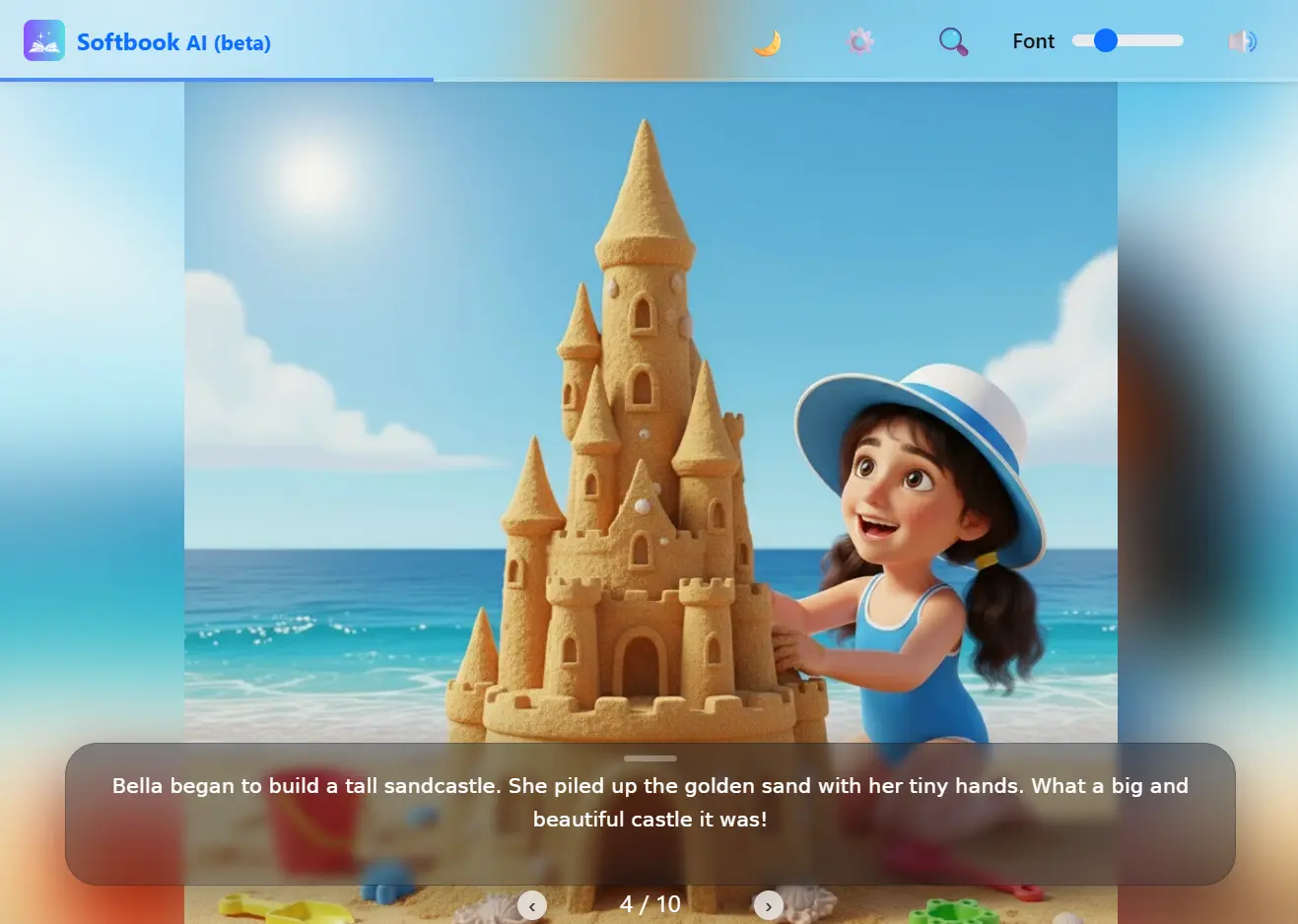
Finished AI storybook preview in Softbook AI

Step-by-step guide

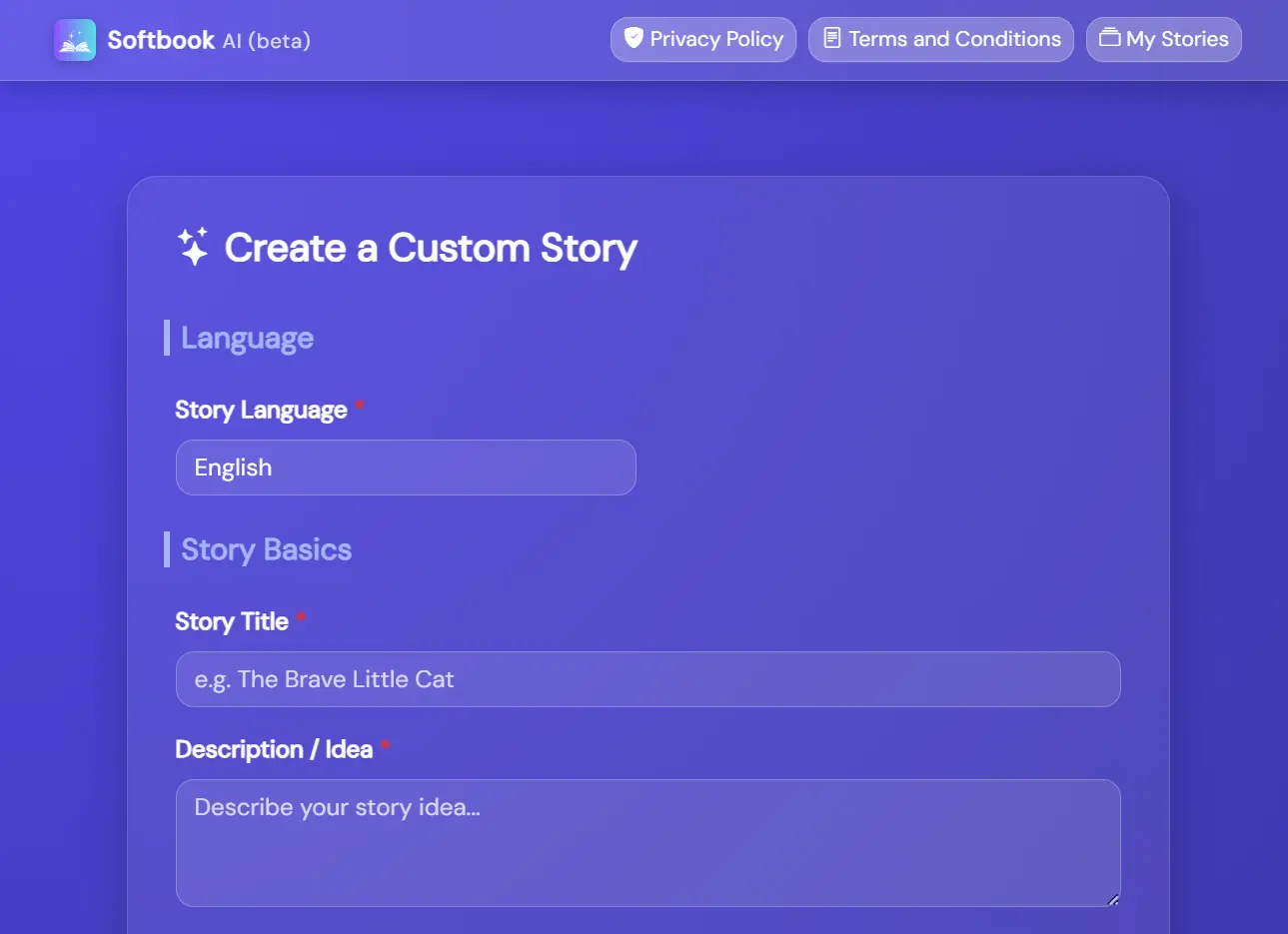
Story language title and description fields screenshot

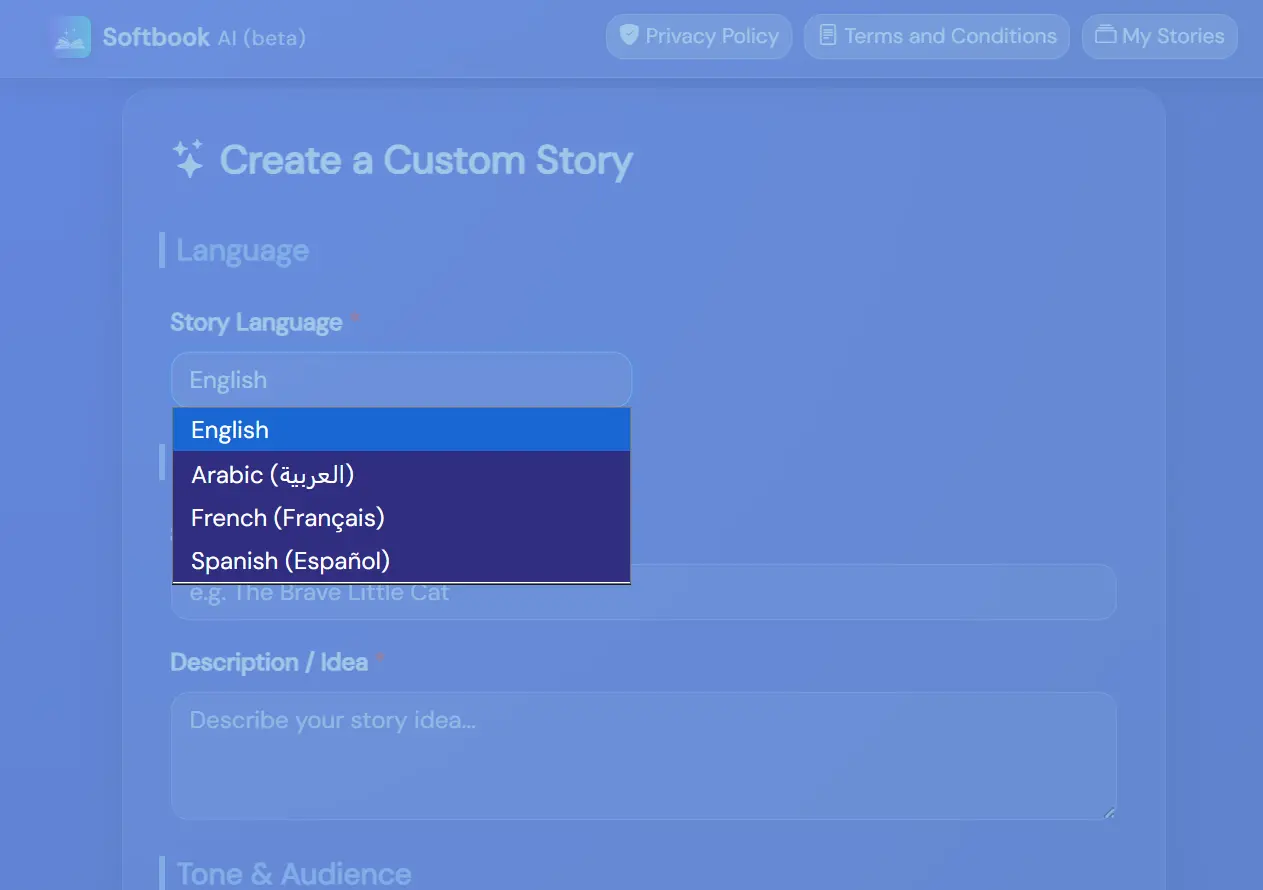
01. Start with language and story basics

Choose the story language, add a short title, and describe your idea. A clear description helps the AI understand the plot, characters, setting, and message you want.

  • Supported languages include English, Arabic, French, and Spanish.
  • Use the title field for a simple, memorable story name.
  • Use the description field for the main idea, lesson, or adventure.
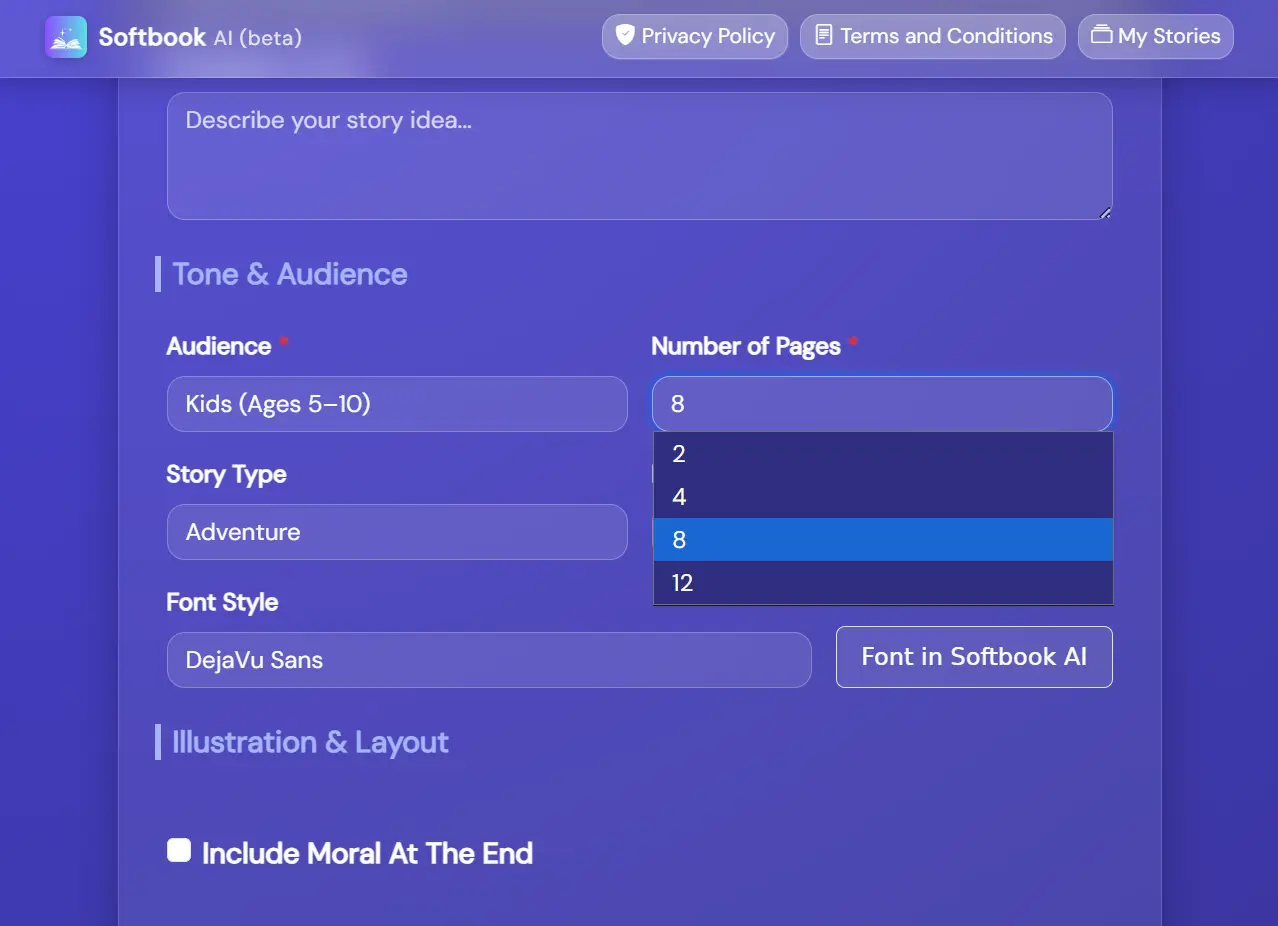
Story audience pages type mood screenshot

02. Choose audience, pages, type, and mood

Select who the story is for and how it should feel. Softbook AI can adapt the tone for toddlers, kids, teens, adults, families, educational use, motivational content, or corporate storytelling.

  • Pick the number of pages: 2, 4, 8, or 12.
  • Choose a story type such as Adventure, Fantasy, Educational, Funny, Motivational, or General.
  • Set the mood, such as Inspiring, Funny, Exciting, Sad, or Neutral.
  • Important note, you can generate a story with text only, and once generated you can edit the text in story settings instantly and then generate images!
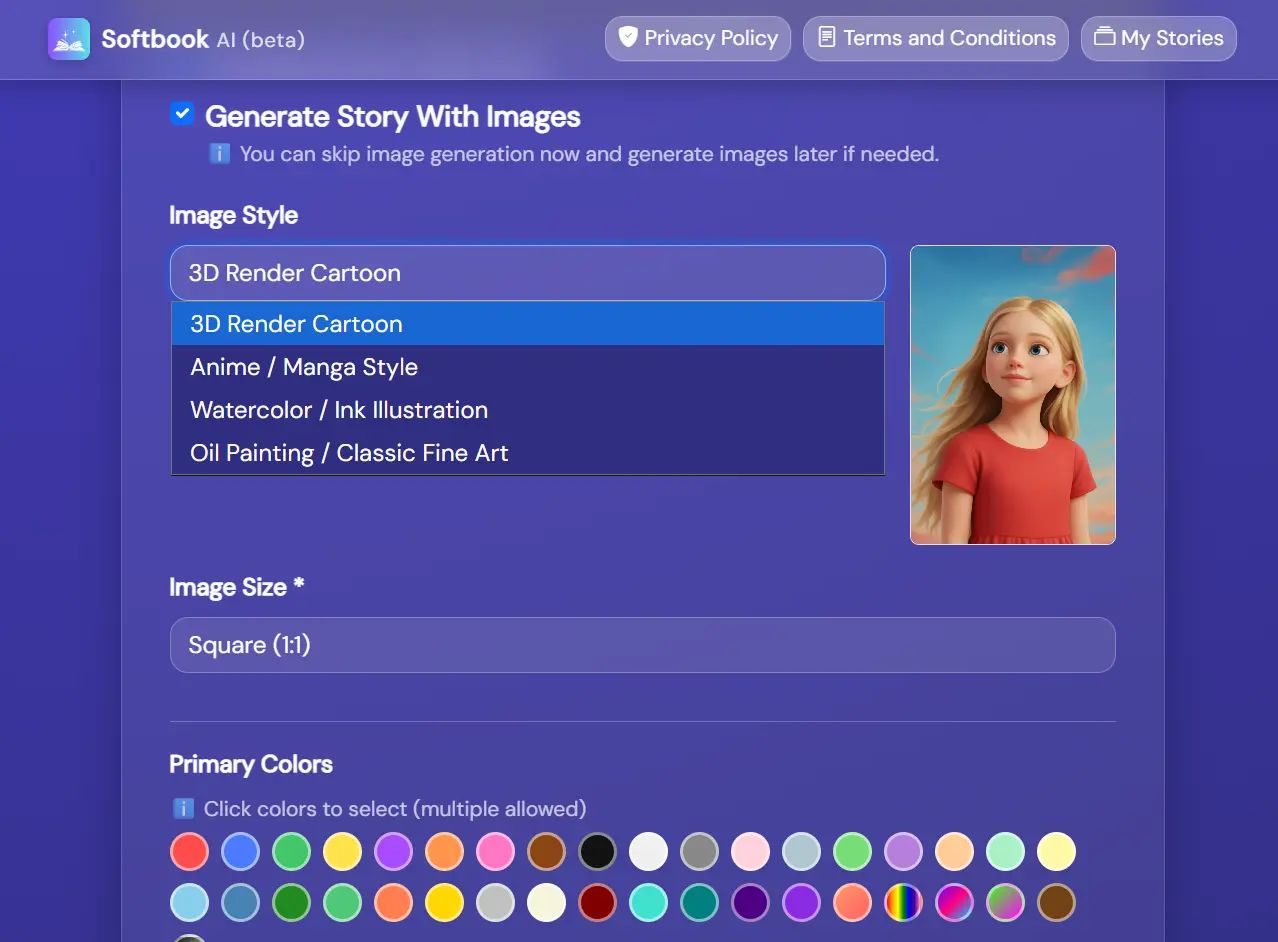
Story illustration style image size and background screenshot

03. Customize illustrations and layout

Decide whether to generate story text, images, or both. Then choose the illustration style, image size, background theme, and primary colors.

  • Image styles include 3D Render Cartoon, Anime / Manga, Watercolor / Ink, and Oil Painting.
  • Image sizes include square, portrait, and landscape.
  • Background themes help match the final book design to your story’s mood.
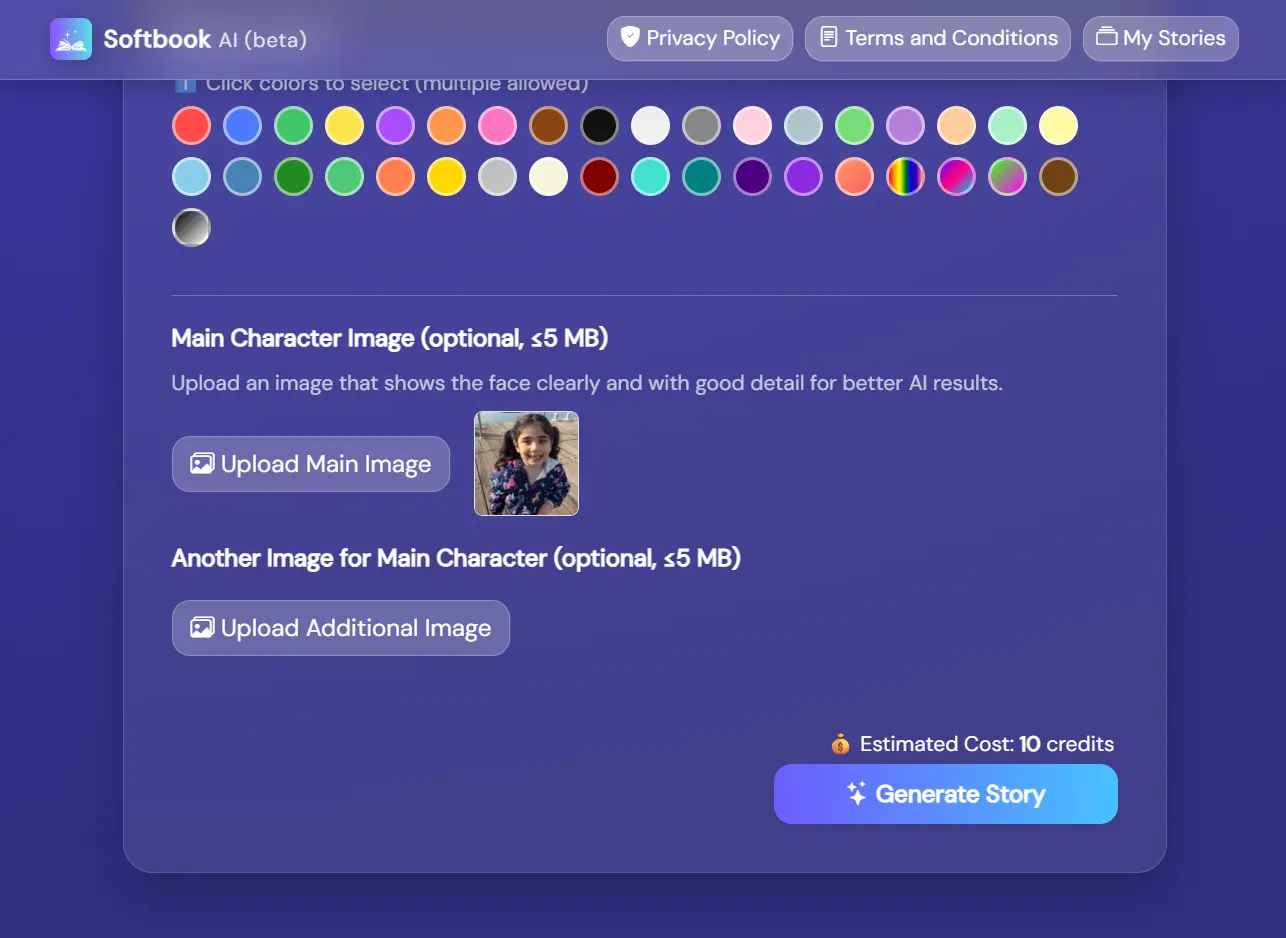
Character image upload gallery screenshot

04. Add character images if needed

You can upload a main character image and an optional additional image. Clear, detailed face images usually help the AI create more consistent character illustrations.

Uploaded images are selected from your private gallery, so you can reuse existing character images in future storybooks.

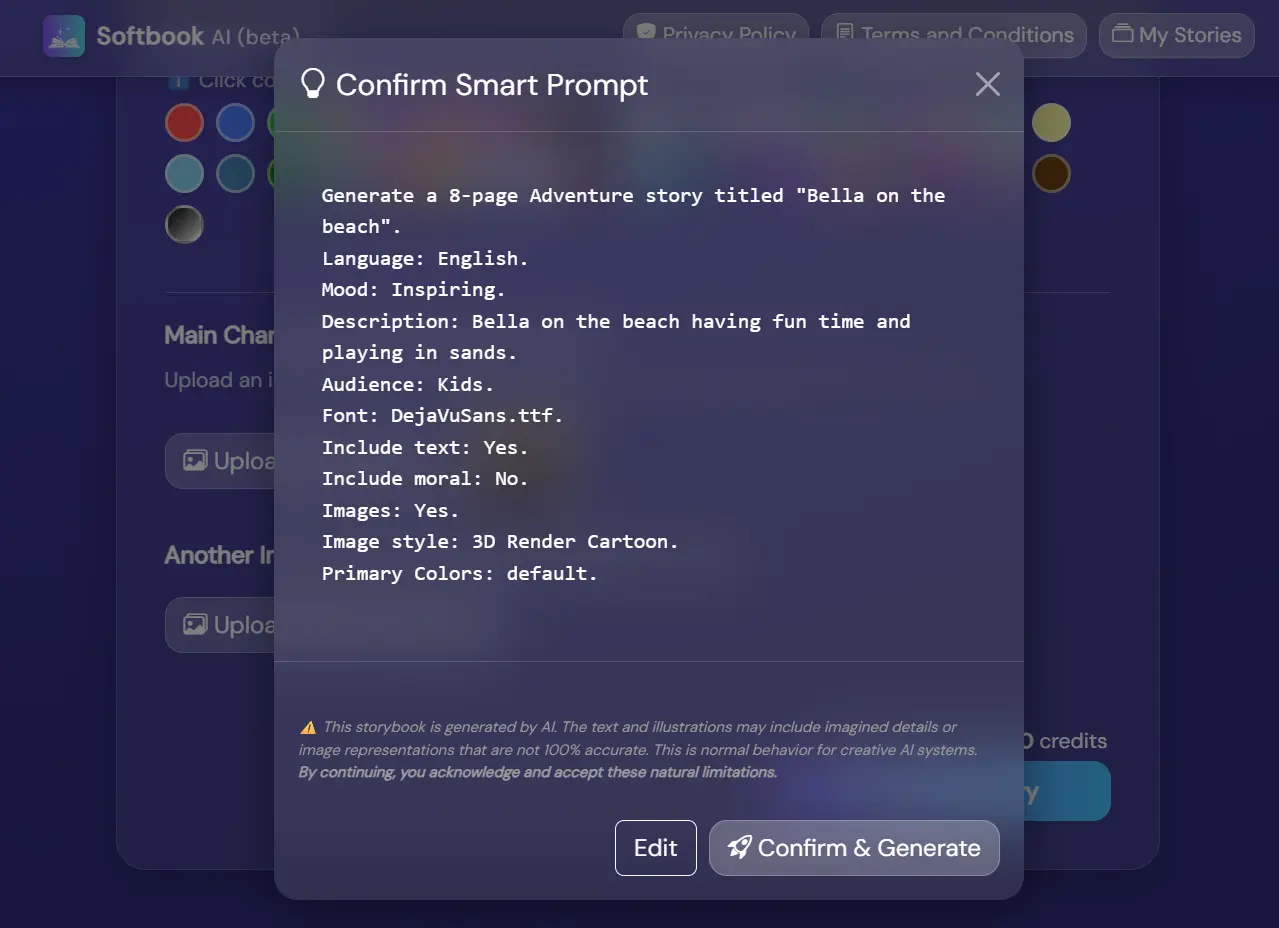
Confirm smart prompt and generate story screenshot

05. Confirm, generate, and publish

Before generation, Softbook AI shows a smart prompt preview. Review it, edit your form if needed, then confirm. After generation, you can review your storybook, edit story text, publish it, and share it with others.

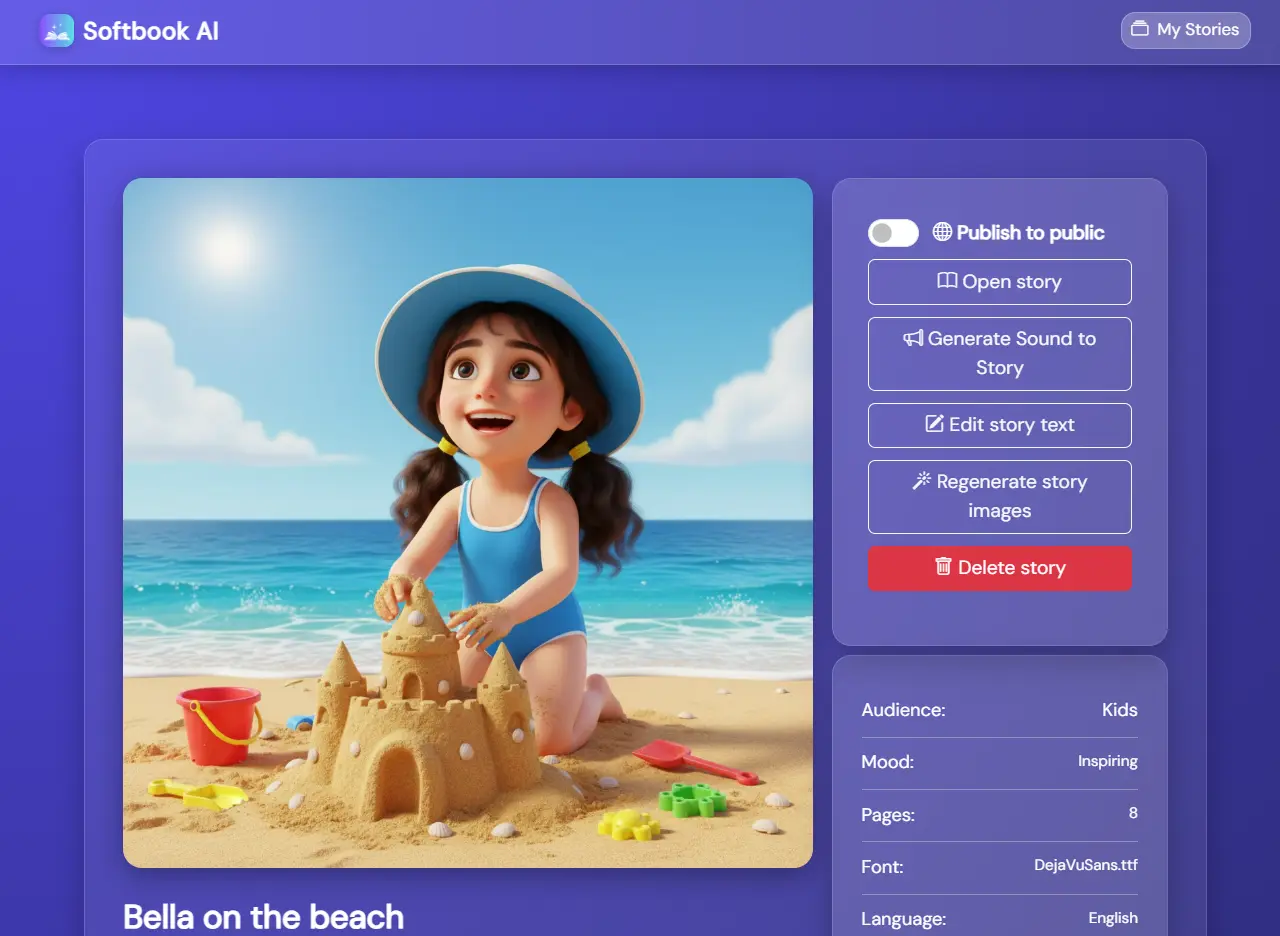
Edit story text add audio or regenrate images, also share story with others

06. Edit, enhance, and share your storybook

Once your storybook is generated, you can edit the story text and save your changes instantly at any time. If you created a text-only story, you can generate illustrations later with a single click. You can also regenerate individual images whenever you want a different result or visual style. To make your story even more engaging, generate AI-powered audio narration so readers can listen while following the story pages. When everything looks perfect, publish your storybook online and instantly share it with family, friends, students, customers, or anyone else using a simple shareable link.

Tips for better storybooks

Be specific

Mention the main character, setting, goal, conflict, and lesson in your story idea.

Match style to mood

Use watercolor for soft stories, 3D cartoon for playful stories, and oil painting for classic scenes.

Use clear photos

For character-based books, upload a clear face image with good lighting and minimal blur.

Ready to make your own storybook?

Start with a simple idea and let Softbook AI help you create a polished illustrated storybook you can edit, publish, and share.

Create Story Try Image Studio